# Chrome

### **步骤 1：打开 Chrome 设置**

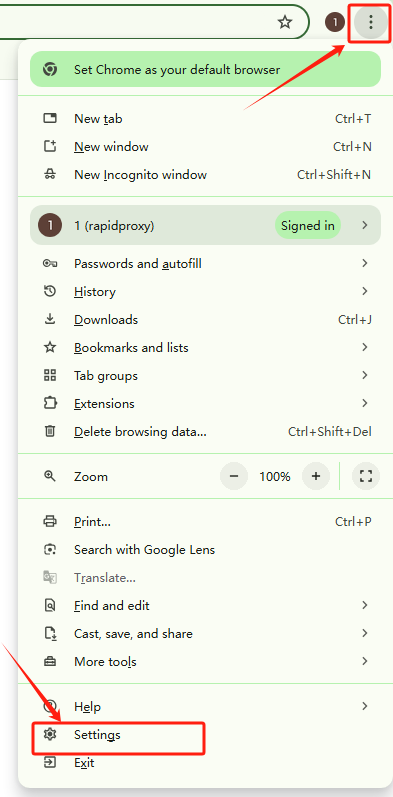
打开你的 Chrome 浏览器，点击右上角的菜单图标 **【⋮】**。

选择 **【Settings/设置】** 以进入浏览器的设置页面。

<figure><img src="/files/jONxBzHemBWKevNSKkJF" alt="" width="295"><figcaption></figcaption></figure>

### **步骤 2：访问代理设置**

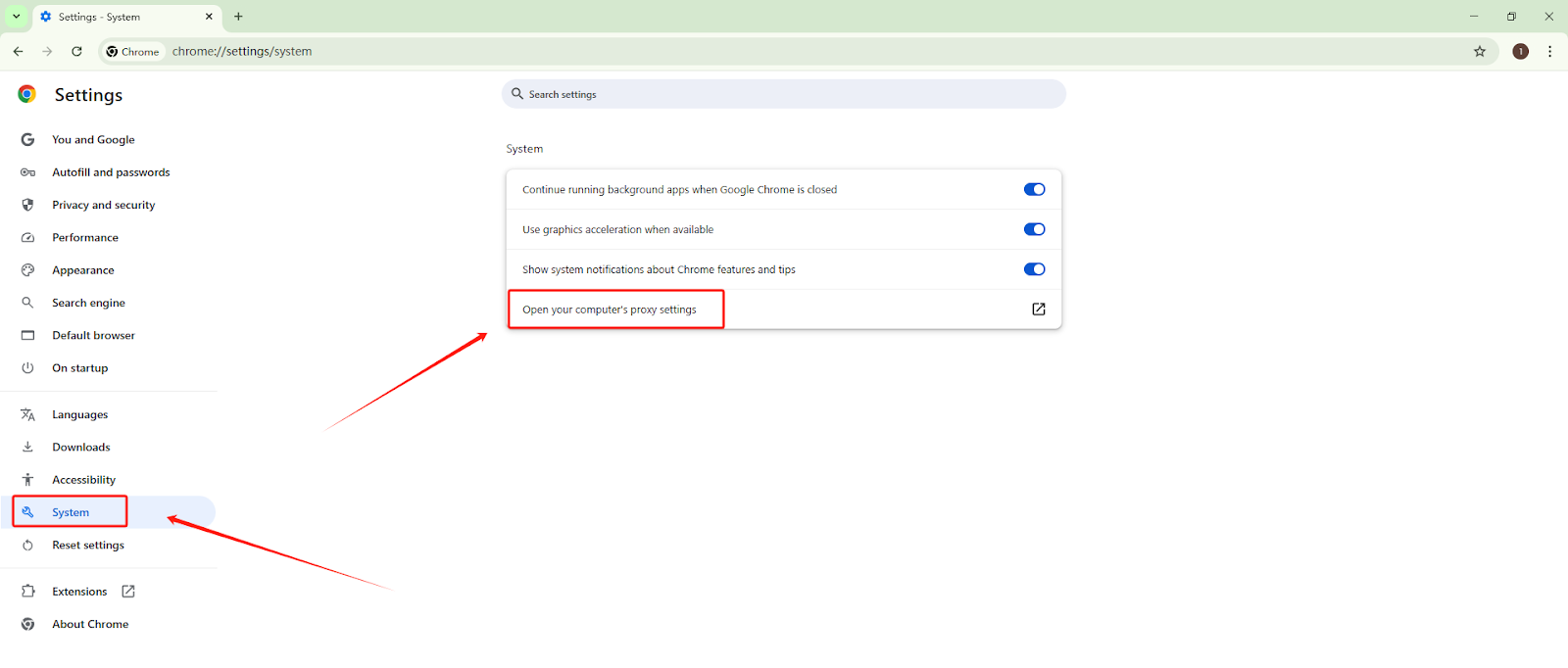
从左侧边栏中，选择 **【System/系统】**。

点击 **【Open your computer’s proxy settings/打开您电脑的代理设置】**，以打开系统的网络配置面板。

<figure><img src="/files/NpVvAR2wbtgotItUftxT" alt="" width="563"><figcaption></figcaption></figure>

### **步骤 3：配置代理详情**

**在系统代理设置窗口中：**

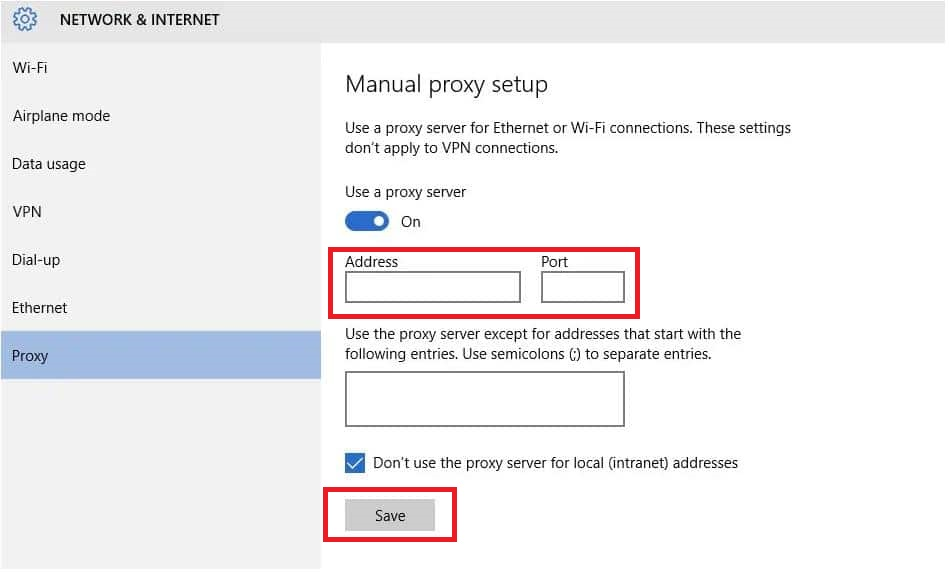
* 启用 **【Use a proxy server/使用代理服务器】** 选项  。
* 输入 RapidProxy 提供的 IP 地址和端口号。
* 建议勾选 **【Don’t use the proxy server for local (Intranet) addresses/不对本地（内网）地址使用代理服务器】**。
* 点击 **【Save/保存】** 以应用配置
<figure><img src="/files/fyl0QQVYytcfxV7qn1ZL" alt="" width="563"><figcaption></figcaption></figure>


---

# Agent Instructions: Querying This Documentation

If you need additional information that is not directly available in this page, you can query the documentation dynamically by asking a question.

Perform an HTTP GET request on the current page URL with the `ask` query parameter:

```
GET https://docs.rapidproxy.io/simplified-mandarin/dai-li/ji-cheng-zhi-nan/dong-tai-zhu-zhai-dai-li/chrome.md?ask=<question>
```

The question should be specific, self-contained, and written in natural language.
The response will contain a direct answer to the question and relevant excerpts and sources from the documentation.

Use this mechanism when the answer is not explicitly present in the current page, you need clarification or additional context, or you want to retrieve related documentation sections.