# Hubstudio

### **Step 1: Obtain Proxy Information**

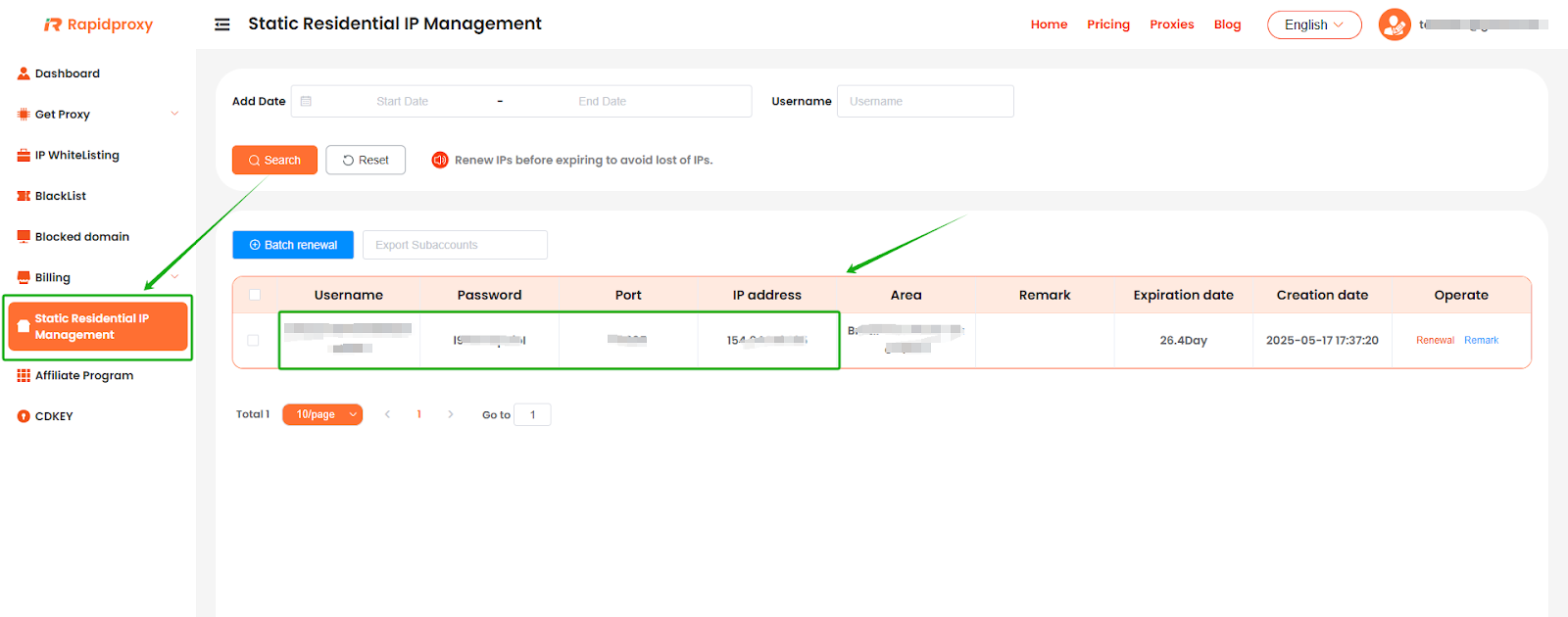
Log in to the RapidProxy dashboard, go t&#x6F;**【Static Residential lP Management】**, and obtain the proxy information:

**IP Address : Port : Username : Password**

<figure><img src="https://3714437495-files.gitbook.io/~/files/v0/b/gitbook-x-prod.appspot.com/o/spaces%2FYesC7FUvYuYg4WiqU6o7%2Fuploads%2FtyqFHQahapJGPJlOLti8%2Fimage.png?alt=media&#x26;token=50b8ec69-5282-47b1-8b32-1cf15ef33312" alt=""><figcaption></figcaption></figure>

### **Step 2: Configure the Proxy in Hubstudio**

#### **1. Create a New Environment**

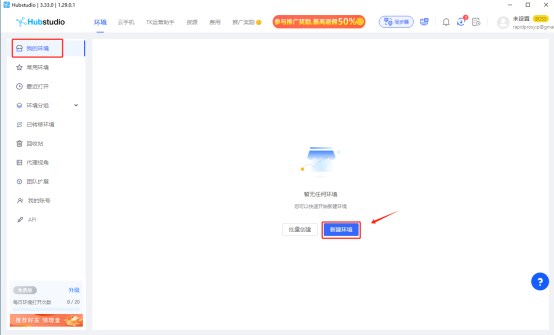
Click **【我的环境】**&#x61;nd selec&#x74;**【新建环境】**.

<figure><img src="https://3714437495-files.gitbook.io/~/files/v0/b/gitbook-x-prod.appspot.com/o/spaces%2FYesC7FUvYuYg4WiqU6o7%2Fuploads%2FAwnT75lPf1Gai5fLTkwj%2Fimage.png?alt=media&#x26;token=12cf6ab9-2c90-4430-8f0c-f9c5541bda15" alt=""><figcaption></figcaption></figure>

#### **2. Set Up Proxy Information**

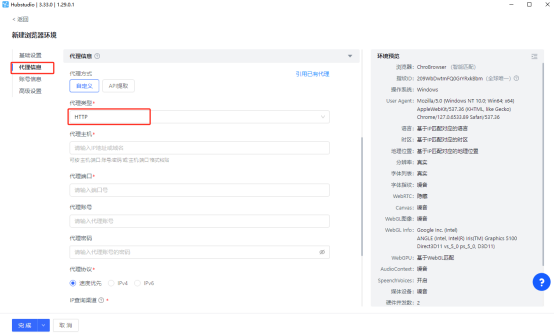
In th&#x65;**【代理信息】**&#x73;ection, fin&#x64;**【代理类型】**&#x61;nd select **HTTP**.

Proxy Type: This example uses HTTP. Rapidproxy supports HTTP, HTTPS, and SOCKS5 protocols.

<figure><img src="https://3714437495-files.gitbook.io/~/files/v0/b/gitbook-x-prod.appspot.com/o/spaces%2FYesC7FUvYuYg4WiqU6o7%2Fuploads%2FjKo6w5nkpJfITyQCcLM3%2Fimage.png?alt=media&#x26;token=23fe48c7-dd94-4f26-874a-c3ef3ad2922c" alt=""><figcaption></figcaption></figure>

#### **3. Enter Proxy Information**

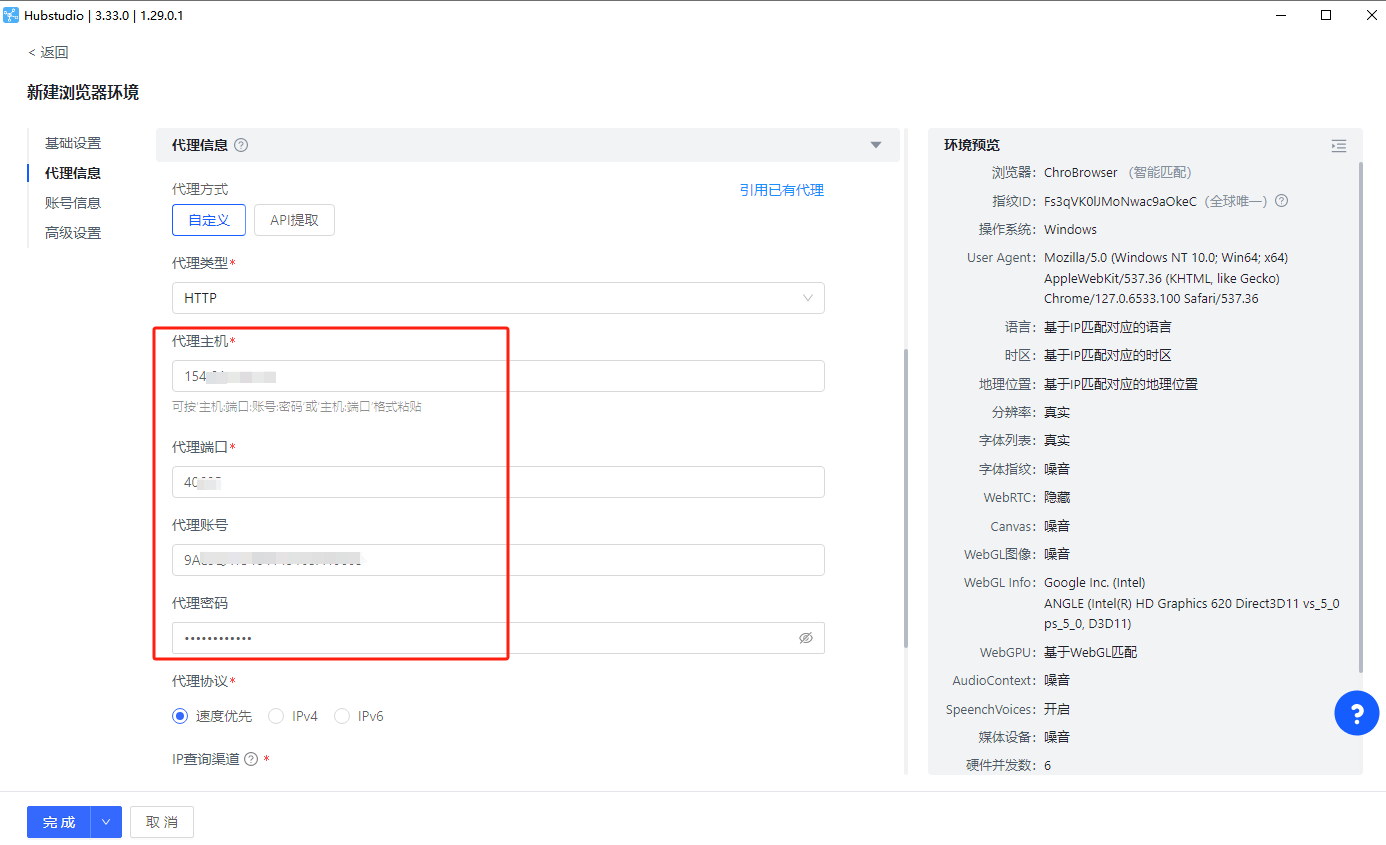
Paste the proxy information generated from Rapidproxy into the corresponding fields in Hubstudio.

<figure><img src="https://3714437495-files.gitbook.io/~/files/v0/b/gitbook-x-prod.appspot.com/o/spaces%2FYesC7FUvYuYg4WiqU6o7%2Fuploads%2F4uGLvzzpLjHOP6p73Uzm%2Fimage.png?alt=media&#x26;token=71a04c8e-f2d0-40a6-b59e-086cf5e468d3" alt=""><figcaption></figcaption></figure>

#### **4. Check Proxy Connection**

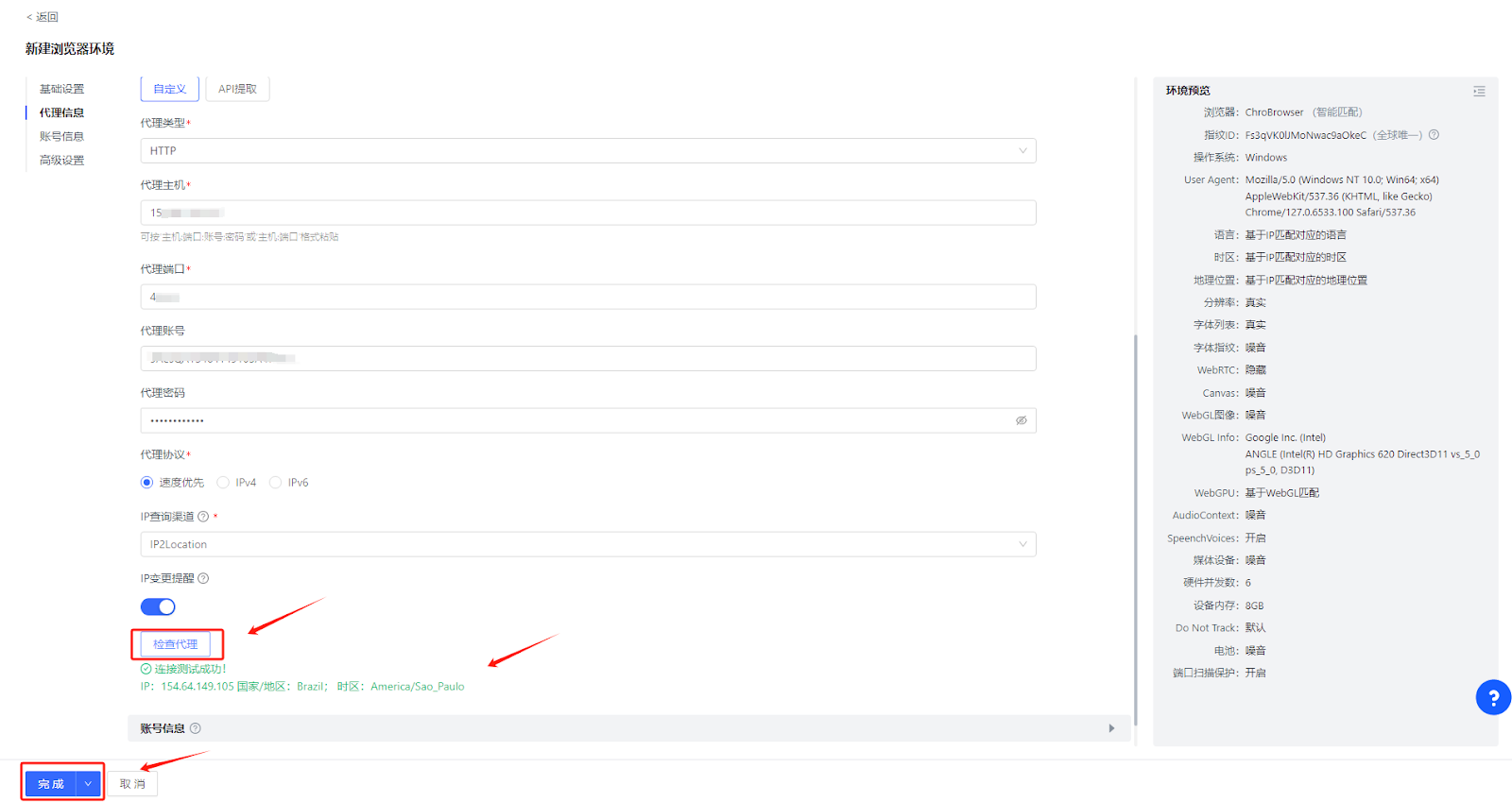
After configuration, clic&#x6B;**【检查代理】**&#x74;o verify if the connection is working correctly. If everything is normal, you will see the message **"连接测试成功!"**. At this point, you have successfully set up the proxy. Clic&#x6B;**【完成】**&#x74;o save the proxy configuration.

<figure><img src="https://3714437495-files.gitbook.io/~/files/v0/b/gitbook-x-prod.appspot.com/o/spaces%2FYesC7FUvYuYg4WiqU6o7%2Fuploads%2F4EPyJ1U8o2lVblQ5nmzC%2Fimage.png?alt=media&#x26;token=f28cf7f9-3401-4687-875c-b93f691c7477" alt=""><figcaption></figcaption></figure>

#### **5. Start Using the Proxy**

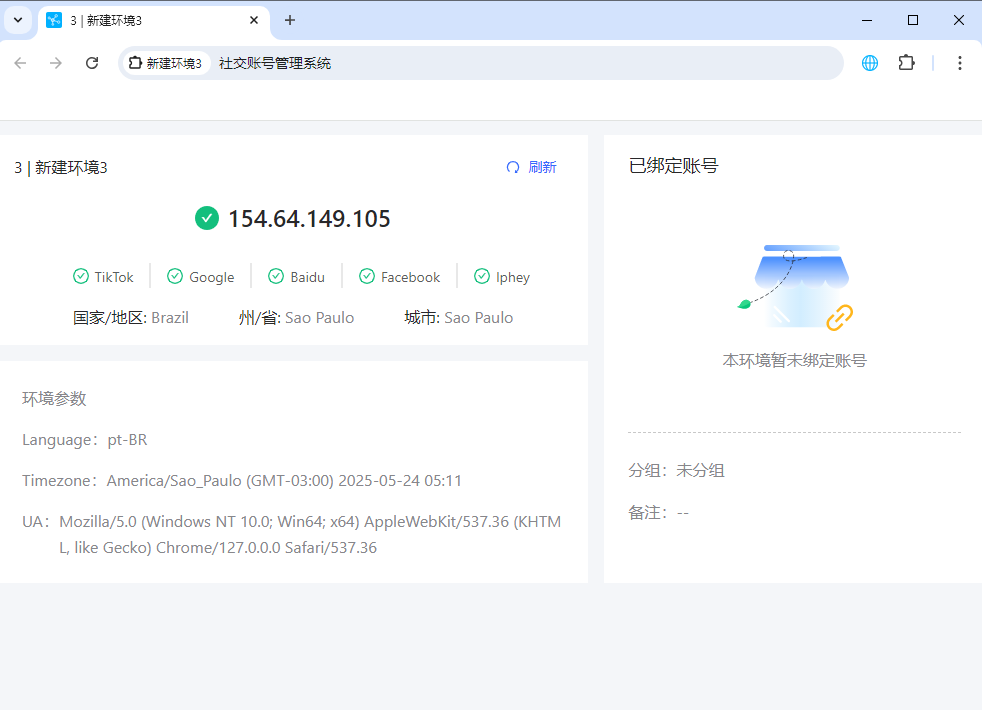
Clic&#x6B;**【打开】**&#x74;o begin using the configured proxy. You can now safely engage in online activities.
<figure><img src="https://3714437495-files.gitbook.io/~/files/v0/b/gitbook-x-prod.appspot.com/o/spaces%2FYesC7FUvYuYg4WiqU6o7%2Fuploads%2FvuzBkCoTZajTUsONjw6d%2Fimage.png?alt=media&#x26;token=4cac9abb-7dd9-4274-a8e2-e81f42fe1ff3" alt=""><figcaption></figcaption></figure>

<figure><img src="https://3714437495-files.gitbook.io/~/files/v0/b/gitbook-x-prod.appspot.com/o/spaces%2FYesC7FUvYuYg4WiqU6o7%2Fuploads%2F6Oyxbvvr5sQnYHaVn9iK%2Fimage.png?alt=media&#x26;token=85f9b132-bdf9-444a-9056-f58f2d34b64a" alt=""><figcaption></figcaption></figure>